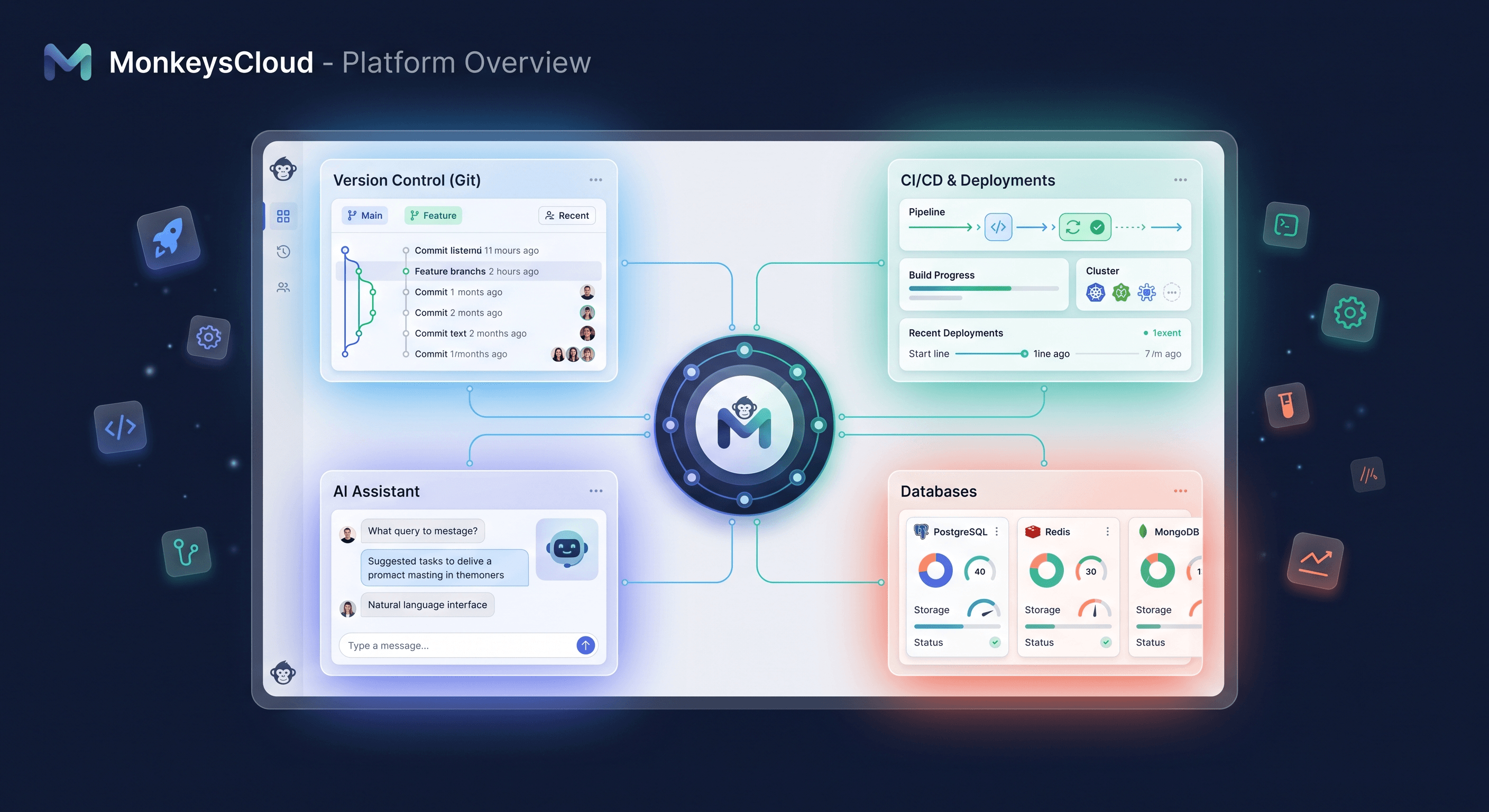
Git hosting, environments, CI/CD, databases, realtime, and AI — six tools replaced by one platform that ships every project with 2 free servers and 2 free databases.
The stack tax problem
A modern team ships software with at least six tools bolted together: a git host, a CI/CD runner, a cloud to provision servers, a managed database service, a monitoring dashboard, and increasingly an AI assistant bolted on the side. Each one has its own dashboard, its own pricing model, its own permission model, and its own way of telling you that your deploy failed.
That's the stack tax: every integration point between those tools is a place where context gets lost, permissions drift, and incidents take longer to diagnose.
MonkeysCloud is our attempt to collapse that stack into one platform — git hosting, environments, deployments, databases, realtime updates, and an AI assistant that actually knows your repository — under a single permission model, a single pipeline, and a single bill.
What the platform actually does
When you create a project on MonkeysCloud, you get the whole loop, not a loose collection of features:
- Git hosting backed by our own server written in Go, speaking smart HTTP, SSH, and gRPC — with per-organization SSH key isolation so a key scoped to one org can never touch another.
- Environments and deployments. Push to a branch, and the pipeline builds, provisions a server, applies your
monkeyscloud.ymlrules, and rolls out a live environment with a URL and automatic SSL — rolling, blue-green, or canary, all over SSH. - Databases that come with the project. Every project ships with two managed servers and two managed databases from day one — typically MySQL and PostgreSQL — isolated between production and staging so you never deploy against shared data by accident.
- Realtime dashboards pushed by our own PHP WebSocket server — build logs, deploy status, and environment events update live instead of on page refresh.
- MonkeysAI — an assistant trained on the context of your own repository. It diagnoses failed builds, reviews pull requests before you merge, triages your sprint backlog, and flags deploy risk before you push.
Why one platform wins for small teams
The pitch isn't "fewer logos in your stack." It's what happens between them. On MonkeysCloud, the build that fails in CI is the same object the AI diagnoses, the same event that updates the realtime dashboard, and the same entry in deployment history that your teammate checks before a release. There's no translation layer between "the build failed" and "here's why, and here's the fix."
For a small team, that collapses the time between signal and action — which is the difference between shipping three times a week and shipping three times a day.
What it's not
We're not trying to be another layer on top of your cloud. When you create an environment, we provision real infrastructure on Google Cloud under the hood — VMs, load balancers, managed databases — and you get a URL. If you need raw kubectl-style control, this platform isn't that. It's for teams that want deployment to feel like a solved problem.
Where to start
The fastest path is also the honest one: create a project, push a Next.js or Go app, and watch it go from git push to a live URL with automatic SSL. Then turn on a staging environment, add a custom domain, and let MonkeysAI review your next pull request.
Closing thought
Developer platforms are at their best when they're invisible — when the pipeline, the databases, and the monitoring are all just there, and your team spends its energy on the product instead of the plumbing. That's the bar we're building toward.
Every MonkeysCloud project ships with 2 free servers and 2 free databases — git hosting, environments, CI/CD, and MonkeysAI included. Try it free.