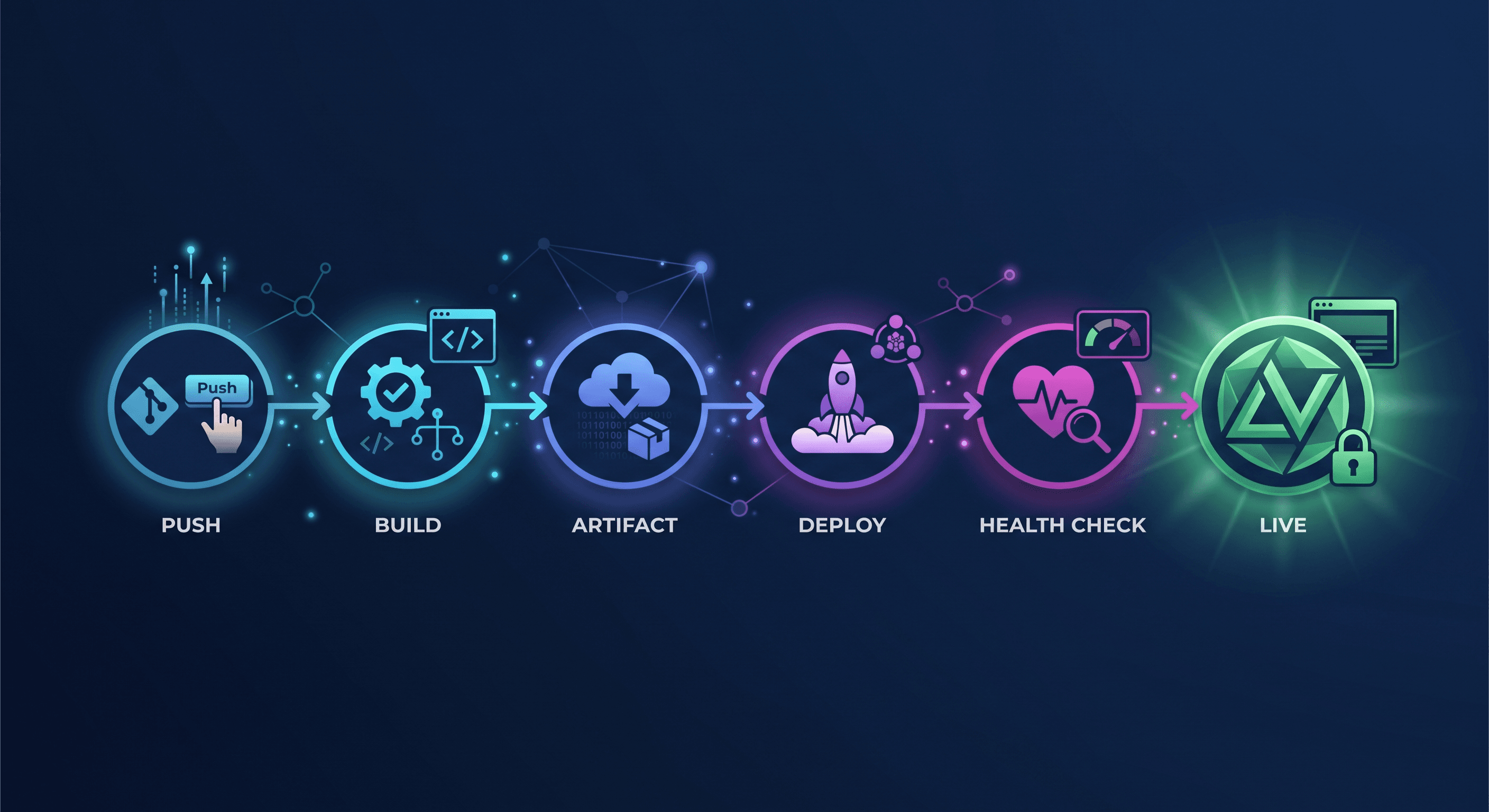
What actually happens between git push and a live deployment on MonkeysCloud — the hook, the build, the artifact, the deploy strategy, the health check, and where each step can fail.
The Moment That Hides a System
You push a commit, a pipeline turns green, and a URL goes live. In between is a system that most developers have never fully traced — partly because the interesting work happens between tools, and partly because platforms deliberately hide it. Hiding it is good UX. But if you're going to debug a failed deploy, diagnose a slow build, or decide between deploy strategies, you need the map.
Here is the full lifecycle of a deploy on MonkeysCloud, step by step, including where each step can fail and what the platform does about it.
Step 1: The Push and the Hook
Everything starts with git push. Our git server — written in Go, speaking smart HTTP, SSH, and gRPC — receives the ref update. Before it's even acknowledged, a post-receive hook fires: the pipeline engine is told which branch moved and to what commit.
Where it can fail: The push itself. Auth is checked at the transport level (SSH key or HTTP credentials), and SSH keys are scoped per organization — a key that belongs to Org A cannot push to Org B's repos. If the push is rejected, you never reach the pipeline, and the error message tells you exactly why.
Step 2: Build Dispatch
The pipeline engine looks at the project's rules — the monkeyscloud.yml in your repo if present, otherwise the platform's defaults for your detected stack. It decides:
What image to build (for containerized stacks) or what artifact to produce (for static-binary stacks like Go).
Which queues to use. Builds are distributed across queue workers — infrastructure builds, app builds, and mail-related jobs have separate workers so a heavy app build can't starve a critical job.
Which environments are affected. Push to
main→ production pipeline. Push to another branch → a branch-preview pipeline with its own environment.
Where it can fail: A misconfigured
monkeyscloud.yml. The engine fails fast with a parse or schema error rather than guessing — because a pipeline that half-understands your rules is worse than one that tells you the file is wrong.
Step 3: The Build
The build runs in an isolated build environment with the stack's toolchain. The dashboard streams the log in realtime — not polled, but pushed over our WebSocket server so you see each step land as it happens.
Where it can fail: The classic suspects — a dependency that requires a newer Node version, a build-time environment variable that was never set, or a flaky test in your
teststep.
Two things make failures less expensive here:
Caching. Layers and dependency caches carry across builds, so the 40th build of the day is dramatically faster than the first.
The AI assistant. MonkeysAI reads the failed build log and tells you why it failed and where the fix is — it doesn't just show you a red X.
Step 4: The Artifact and the Schema
On a successful build, the pipeline produces the artifact and, if your project has a data layer, runs the schema step: our schema-sync flow diffs your entity definitions against the target environment's live database and applies only the changes — no migration files to maintain, no drift accumulation.
Where it can fail: A schema change that conflicts with the target database's state. The sync runs in a transaction where possible, and a failed sync blocks the deploy instead of shipping code against a half-migrated schema.
Step 5: The Deploy Itself
Now the artifact goes to the environment. This is the part most platforms gloss over, because deploy strategy is where engineering taste lives. MonkeysCloud supports three strategies, chosen per environment or per pipeline:
Rolling — Old instances are replaced one at a time. Zero added cost, works everywhere, but there's a brief moment where old and new run side by side.
Blue-Green — The new version comes up fully alongside the old; traffic switches over once the health check passes; instant rollback by switching back.
Canary — The new version receives a small percentage of traffic first; if metrics stay clean, the share increases until it reaches 100%.
All three run over SSH to the environment's servers — no Kubernetes required to get production-grade deploy strategies. The pipeline applies the strategy, and the dashboard reflects it live: you can watch the rollout progress in realtime instead of guessing.
Step 6: The Health Check
A deploy isn't done when the process starts; it's done when the environment proves it works. The pipeline hits the environment's health endpoint (your /health or the stack's default), waits for a successful response, and only then marks the deploy as complete.
Where it can fail: An app that starts but crashes under traffic, or a health endpoint that returns
200before the app is actually ready. When the health check fails, the strategy's rollback logic engages — blue-green switches back, canary halts the traffic increase, and rolling restores the previous instances.
Step 7: The Aftermath (The Part Nobody Sees)
With the deploy marked complete, the platform finishes the job:
Realtime Event. The deploy event pushes to the dashboard's live views — build logs, environment status, and deployment history all update without a refresh.
Notifications. Webhooks fire to your endpoints and/or your Slack channel with the outcome.
History. The deploy lands in deployment history with its commit, duration, strategy, and result — the shared source of truth for "what shipped and when."
AI Review (Optional). For PRs, MonkeysAI can have reviewed the diff before merge, so the deploy you just shipped was already scored for risk.
Where the Map Helps
Trace a failed deploy against this map and the question "where did it break?" becomes answerable in one pass:
StageWhat to CheckCommon CauseStep 1Auth FailureMissing SSH key / wrong org scopeStep 2Rules MisparsedInvalid monkeyscloud.yml syntaxStep 3Build RedMissing env vars / dependency version mismatchStep 4Schema ConflictUnreconcilable DB state diffStep 5Rollout UnhealthyInstance crash on bootStep 6Health Check RefusedApplication not ready / /health failing
Each stage has its own logs, its own error message, and its own fix path — and the AI assistant can walk the same map to diagnose for you.
Closing Thought
The lifecycle from push to live is a chain of small, well-defined jobs. Platforms earn trust not by hiding the chain, but by making every link visible when you need it and invisible when you don't. That's the balance we've built: the map above is there whenever you open the pipeline view — and ignored whenever you just want to ship.
Every MonkeysCloud project ships with 2 free servers and 2 free databases — git hosting, environments, CI/CD, and MonkeysAI included. Try it free